

Najlepsze interfejsy audio, i jak naprawdę wybrać właściwy
Najlepsze interfejsy audio to nie te z największą liczbą gałek ani z najwyższą liczbą na pudełku. To te ze stabilnymi sterownikami, wystarczającą liczbą wejść pod to, co naprawdę nagrywasz, i czystym przedwzmacniaczem, który nie szumi, gdy podkręcisz wzmocnienie. Trafisz w te trzy rzeczy, a reszta to już kwestia gustu. (Mam więcej interfejsów niż wolnych portów USB, i to już nie jest zestaw, tylko diagnoza.) Interfejs to po prostu tłumacz między twoim mikrofonem albo gitarą a komputerem, a dobry robi tę robotę tak cicho, że zapominasz, że w ogóle tam jest.
W dużym skrócie. Interfejs audio zamienia twój analogowy dźwięk na cyfrowy, który komputer potrafi nagrać, i z powrotem na analogowy dla słuchawek i monitorów. Dla większości osób szczera pierwsza para to Audient EVO 4 za jakieś 500 zł, a drabina sięga aż po RME Babyface Pro FS dla tych, którzy nigdy więcej nie chcą myśleć o sterownikach. Wybieraj pod stabilne sterowniki i liczbę wejść, a nie pod tabelę specyfikacji. A najlepiej przyjdź i posłuchaj kilku w naszym showroomie w Warszawie. Cała oferta: interfejsy audio.
Interfejs audio, co to właściwie jest
Twój komputer nie słyszy mikrofonu. Mówi po cyfrowemu, mikrofon mówi po analogowemu, i coś musi stanąć w środku i tłumaczyć w obie strony. To cała jego rola. Interfejs bierze maleńki sygnał z mikrofonu albo gitary, podbija go przedwzmacniaczem, zamienia na cyfrowy dla programu do nagrywania, a potem zamienia twój miks z powrotem na analogowy dla słuchawek i głośników. Wyobraź go sobie jako policjanta na jedynym skrzyżowaniu, gdzie spotykają się analog i cyfra, przepuszczającego każdą stronę bez stłuczki.
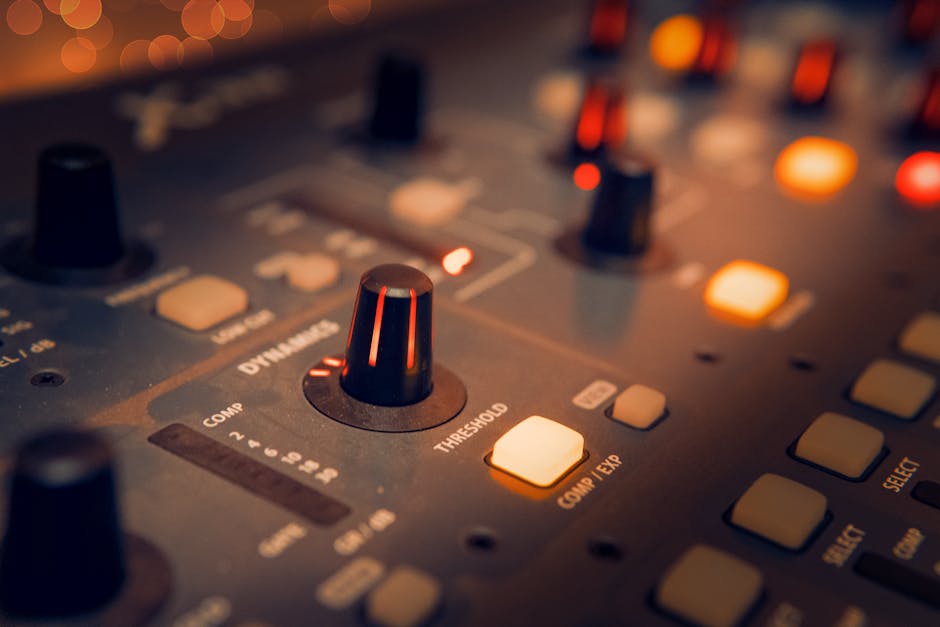
Czy naprawdę jest ci potrzebny? Jeśli nagrywasz cokolwiek prawdziwego, wokal, gitarę, syntezator, to tak. Wbudowane gniazdo w laptopie zaprojektowano do rozmów wideo, a nie do mikrofonu pojemnościowego, i słychać to w sekundzie, gdy podkręcisz wzmocnienie. Porządny interfejs daje ci prawdziwy przedwzmacniacz, zasilanie phantom dla mikrofonów studyjnych i latencję na tyle niską, że nie śpiewasz do echa samego siebie. Jeśli tylko odtwarzasz gotowe kawałki, odpuść go sobie i kup dobry wzmacniacz słuchawkowy. Z czystym sumieniem powiem ci to, zanim wydasz złotówkę, której nie musiałeś.
Jaki interfejs audio wybrać
Zacznij od wejść, bo to jedyna rzecz, której nie da się później naprawić. Policz, co nagrywasz w tym samym czasie. Jeden mikrofon do wokalu albo podcastu, i dwa wejścia w zupełności wystarczą. Gitara i wokal razem, albo mały zestaw perkusyjny, i chcesz cztery albo więcej. Kupno pudełka z dwoma wejściami, a potem potrzeba trzeciego za miesiąc, to najczęstszy błąd, jaki widuję, i drogi sposób na zaoszczędzenie dwustu złotych.
Potem popatrz na przedwzmacniacze i przetworniki, dwie części, które faktycznie decydują, jak to brzmi. Dobry przedwzmacniacz zostaje czysty i cichy, gdy podbijasz wzmocnienie dla cichego wokalisty albo mikrofonu wstęgowego. Tanie wychodzą z zapasu i wręczają ci szum. Dalej jest rodzaj złącza. USB to rozsądny domyślny wybór do domowego studia, działa na wszystkim i jest z zapasem szybkie dla kilku kanałów. Thunderbolt kosztuje więcej i kupuje niższą latencję oraz więcej kanałów, co ma znaczenie, gdy nagrywasz cały zespół naraz, a wcześniej nie. Interfejsy PCIe i Ethernet mieszkają w większych studiach z dużymi potrzebami I/O. Do domowego studia porządny interfejs audio USB to właściwa odpowiedź dziewięć razy na dziesięć.
Na końcu, i po cichu najważniejsze, są sterowniki. To oprogramowanie, dzięki któremu interfejs i komputer gadają ze sobą bez przerywania. Dobre sterowniki są niewidzialne. Złe dają ci trzaski, przypadkowe rozłączenia i tę wyjątkową panikę, gdy interfejs znika w środku sesji. To nudne, tego nie ma na pudełku, i to największa różnica między tanim a dobrym interfejsem.
Interfejs audio do gitary, prosto do komputera
Gitarzyści mają jedną rzecz więcej do sprawdzenia, i wywraca ona więcej osób, niż powinna. Sygnał z przetwornika gitary ma wysoką impedancję i potrzebuje pasującego wejścia wysokoomowego, zwykle oznaczonego Hi-Z albo Instrument, albo małą ikonką gitary przy gnieździe. Wepnij gitarę w zwykłe wejście liniowe, a wyjdzie cienka i słaba, sama góra bez ciała, jakby wzmacniacz zadzwonił z drugiego pokoju. Każdy interfejs z tej listy ma porządne wejście instrumentalne, więc interfejs audio do gitary masz załatwiony już od pierwszego pudełka. Od strony komputera to naprawdę podłącz i graj, jeden kabel USB do komputera i interfejs robi resztę. Ustaw mały bufor, gdy grasz, żeby nie walczyć z latencją, a potem podnieś go przy miksowaniu.
Najtańszy interfejs to rzadko najtańszy koniec
Tu moja jedna mocna opinia, przy której zostanę do końca. Najtańszy interfejs prawie nigdy nie okazuje się najtańszym wyborem. Miałem klienta zdecydowanego na budżetowe pudełko, to, które oszczędzało mu jakieś dwieście złotych względem następnego. Ta sama liczba wejść, te same nagłówkowe specyfikacje, więc rozumiałem logikę. Mimo to popchnąłem go ku tej odrobinę droższej, bo miała żelazne sterowniki, a tania nie. Kupił tanią. Trzy miesiące później wrócił, wykończony przypadkowymi przerywaniami za każdą aktualizacją laptopa, i ostatecznie kupił tę drugą. Zapłacił dwa razy, plus trzy miesiące zmarnowanych nagrań, żeby raz zaoszczędzić dwie stówy.
Dlatego marki takie jak RME liczą sobie tyle, ile liczą, i trzymają swoich fanów po dwadzieścia lat. Nie płacisz za dodatkowe gałki. Płacisz za sterowniki tak stabilne, że ludzie zapominają o istnieniu interfejsu, a to najwyższy komplement, na jaki może zasłużyć sprzęt studyjny. Kup nudną niezawodność. Twoje przyszłe ja, w środku nagrania o północy, będzie ci wdzięczne.
Najlepsze interfejsy audio, od pierwszego pudełka po szczyt
Odpuść sobie rankingi najlepszych pisane przez ludzi, którzy nigdy tego sprzętu w nic nie wpięli. Oto interfejsy audio, które naprawdę zarabiają na swoje miejsce na naszej półce, ułożone w czystą drabinę, od rozsądnego pierwszego zakupu po ten, na którym przestajesz się wymieniać. Ceny są dzisiejsze z półki, a ceny z półki się zmieniają.

- Najlepszy pierwszy interfejs. Audient EVO 4 za jakieś 500 zł bije daleko powyżej swojej ceny, z dwoma naprawdę dobrymi przedwzmacniaczami Audienta i sprytną funkcją ustawiania poziomów za ciebie. Szczere miejsce, żeby zacząć.
- Najlepszy uniwersalny. Focusrite Scarlett 2i2 4th Gen za jakieś 749 zł jest domyślnym wyborem nie bez powodu. Dwa wejścia, czyste przedwzmacniacze, stabilne sterowniki, i po prostu działa. Jeśli chcesz przestać czytać i zacząć nagrywać, kup to.
- Najlepszy do domowego studia. Audient iD14 MKII za jakieś 930 zł podnosi poziom przetworników i przedwzmacniaczy, dorzuca porządną kontrolę odsłuchu i mikrofon talkback, i daje miejsce na rozwój. Ten, na który najczęściej kieruję domowych producentów.
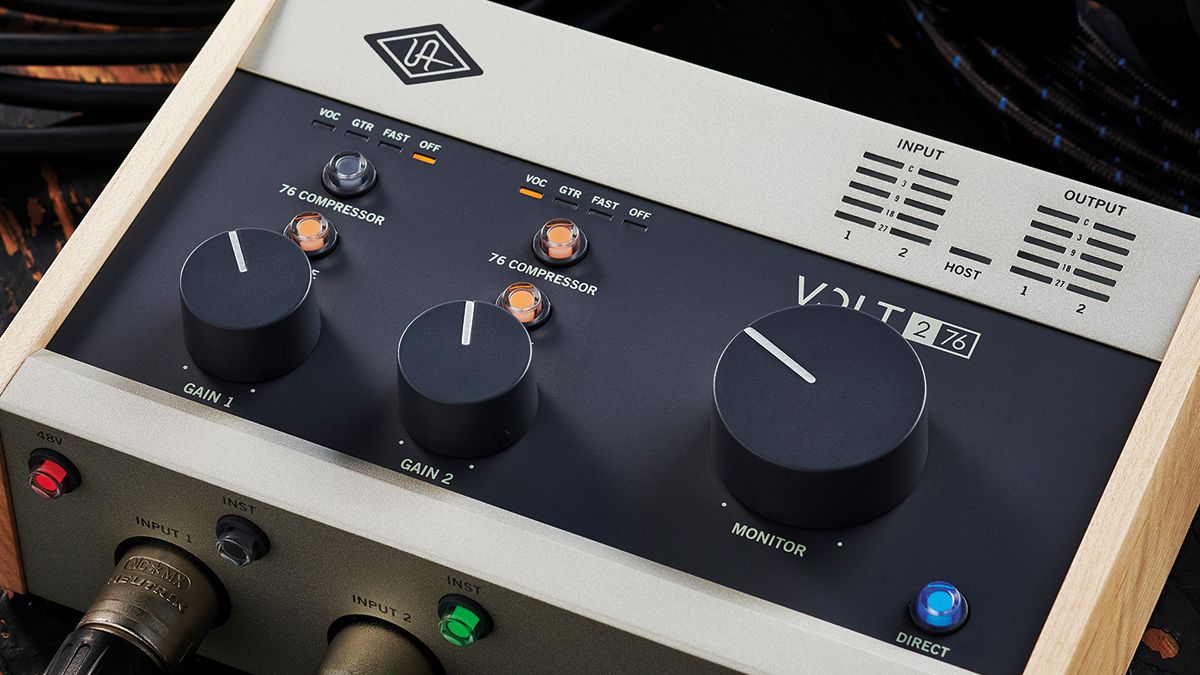
- Najlepszy do wokalu i gitary. Universal Audio Volt 276 za jakieś 1017 zł ma wbudowany kompresor i tryb Vintage w przedwzmacniaczu, który dodaje ciepła już na wejściu, co schlebia głosowi albo gitarze z DI, zanim tkniesz jakąkolwiek wtyczkę.
- Szczyt. RME Babyface Pro FS za jakieś 3054 zł to punkt odniesienia. Nieskazitelne przetworniki i najbardziej stabilne sterowniki w branży. Pudełko, które kupujesz raz i nigdy więcej o nim nie myślisz, jeśli GAS kiedykolwiek ci pozwoli.
Na cokolwiek się zdecydujesz, masz 36 miesięcy gwarancji na cały asortyment, darmową dostawę przy zamówieniach powyżej progu 900 zł i 30 dni na zwrot, jeśli to jednak nie ten. Na wybranym sprzęcie możesz też wziąć 30-dniowy Test-Drive i używać go we własnym pokoju, zanim się zdecydujesz, bo tabela specyfikacji jeszcze nigdy nie powiedziała ci, jak przedwzmacniacz radzi sobie z twoim głosem. I ostrzeżenie warte akapitu, sprzęt z szarej strefy wygląda taniej, dopóki nie padnie w drugim roku bez unijnej gwarancji i bez lokalnego serwisu. Kupuj tam, gdzie za sprzedażą stoi prawdziwy warsztat.
Konkretne odpowiedzi
Czy interfejs audio jest w ogóle potrzebny?
Jeśli nagrywasz cokolwiek prawdziwego, wokal, gitarę, syntezator, to tak. Wbudowane gniazdo w komputerze nie ma porządnego przedwzmacniacza, zasilania phantom ani niskiej latencji. Jeśli tylko odtwarzasz gotowe kawałki, odpuść go sobie i kup dobry wzmacniacz słuchawkowy.
Jaki jest najtańszy sensowny interfejs audio?
Około 500 zł za coś z naprawdę dobrymi przedwzmacniaczami i stabilnymi sterownikami, jak Audient EVO 4. Zejdź dużo niżej, a zwykle dopłacasz później w przerywaniach i szumie. Najtańsze pudełko rzadko jest najtańszym końcem.
Ile wejść potrzebuję?
Policz, co nagrywasz naraz. Jeden mikrofon do wokalu albo podcastu, i dwa wejścia w zupełności wystarczą. Gitara i wokal razem, albo mały zestaw perkusyjny, i chcesz cztery albo więcej. Kupuj pod dzień, w którym przerośniesz dwa, a nie pod dzień rozpakowania.
Jaki interfejs audio do podcastu?
Czysty interfejs USB z dwoma wejściami i dwoma dobrymi przedwzmacniaczami spokojnie obsłuży jednego albo dwóch prowadzących, a Focusrite Scarlett 2i2 i Audient iD14 robią to dobrze. Jeśli regularnie masz trzy albo więcej mikrofonów w pokoju, przejdź na model z czterema wejściami.
USB czy Thunderbolt, co wybrać?
USB do niemal każdego domowego studia. Działa na wszystkim i jest z zapasem szybkie dla kilku kanałów. Thunderbolt kosztuje więcej i kupuje niższą latencję oraz więcej kanałów, co ma znaczenie tylko wtedy, gdy nagrywasz cały zespół naraz.
Dobry interfejs audio to ten jeden sprzęt, o którym powinieneś móc zapomnieć, cicho tłumaczący między twoim pokojem a komputerem, gdy ty zajmujesz się muzyką. Przyjdź, wepnij kilka we własny laptop w showroomie, powiedz nam, co nagrywasz, a wskażemy ci właściwy i pewnie chwilę pokłócimy się o sterowniki. Ty przynieś gitarę. My mamy kawę.
Czytaj dalej
- Jak podłączyć mikrofon do komputera. Interfejs wybrany, tu jest reszta toru i typowe miejsca, w których się sypie.
- Zasilanie fantomowe, czyli co robi te 48 V w kablu. Przełącznik, który jest w każdym interfejsie i nie w każdym działa tak samo.
- Monitory studyjne aktywne, jak wybrać właściwą parę. To, co podepniesz do wyjść, decyduje o jakości odsłuchu bardziej niż sam interfejs.